|
Downloading some files to a PC |
  
|
|
Downloading some files to a PC |
|
|
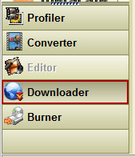
In the program Axara Video Converter you need to open "Downloader" – utility for downloading Internet video content. |
In the upper part of the program you will see a field for URL address and right to it a button "Download Now".

Please, enter the URL address into the field: the address of the Internet page where the video you want to download is kept (it is very easy to enter the URL address with the help of the Clipboard).
After that, please, push the button "Download Now!"
The settings panel will be displayed.
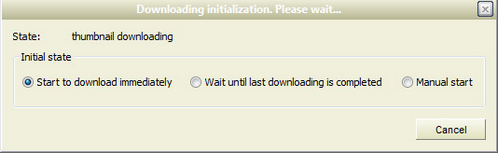
Существует три параметра загрузки файла это:
Start to download immediately |
The program begins to download the video file automatically just after it is recognized, regardless whether some other files are downloading now. |
Wait until last downloading is completed |
The downloading process will wait till the other files will be completely downloaded. |
Manual start |
Manual start. The program will define the location of the file, but the downloading process will start only after you press the button. |
As soon as the program has defined the parameters of the downloaded file, it points the file to "Downloaded list", where you can see the name of the file, its size, loading condition and percentage correlation of downloaded information.